neatly
Clear names for your files, automatically.
No more IMG_4821.jpg or Screenshot 2026-11-14 at 23.12.04.png.
neatly gives your downloads, screenshots and photos real names, by itself. Free, and everything stays on your Mac.
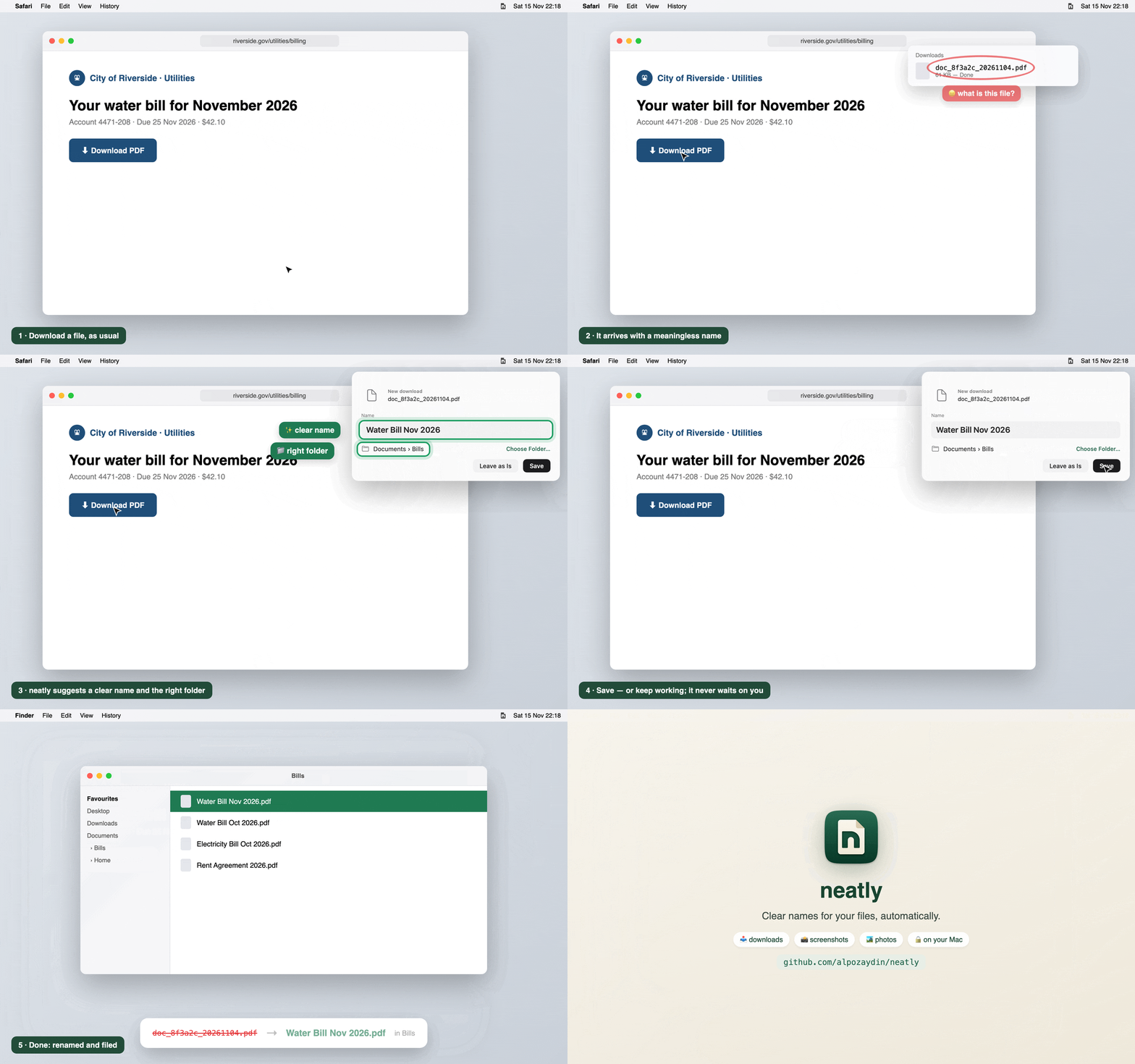
Install in a minute
No Terminal, no account, no sign-up.
neatly.dmg and drag the neatly icon onto the Applications folder next to it.What it does
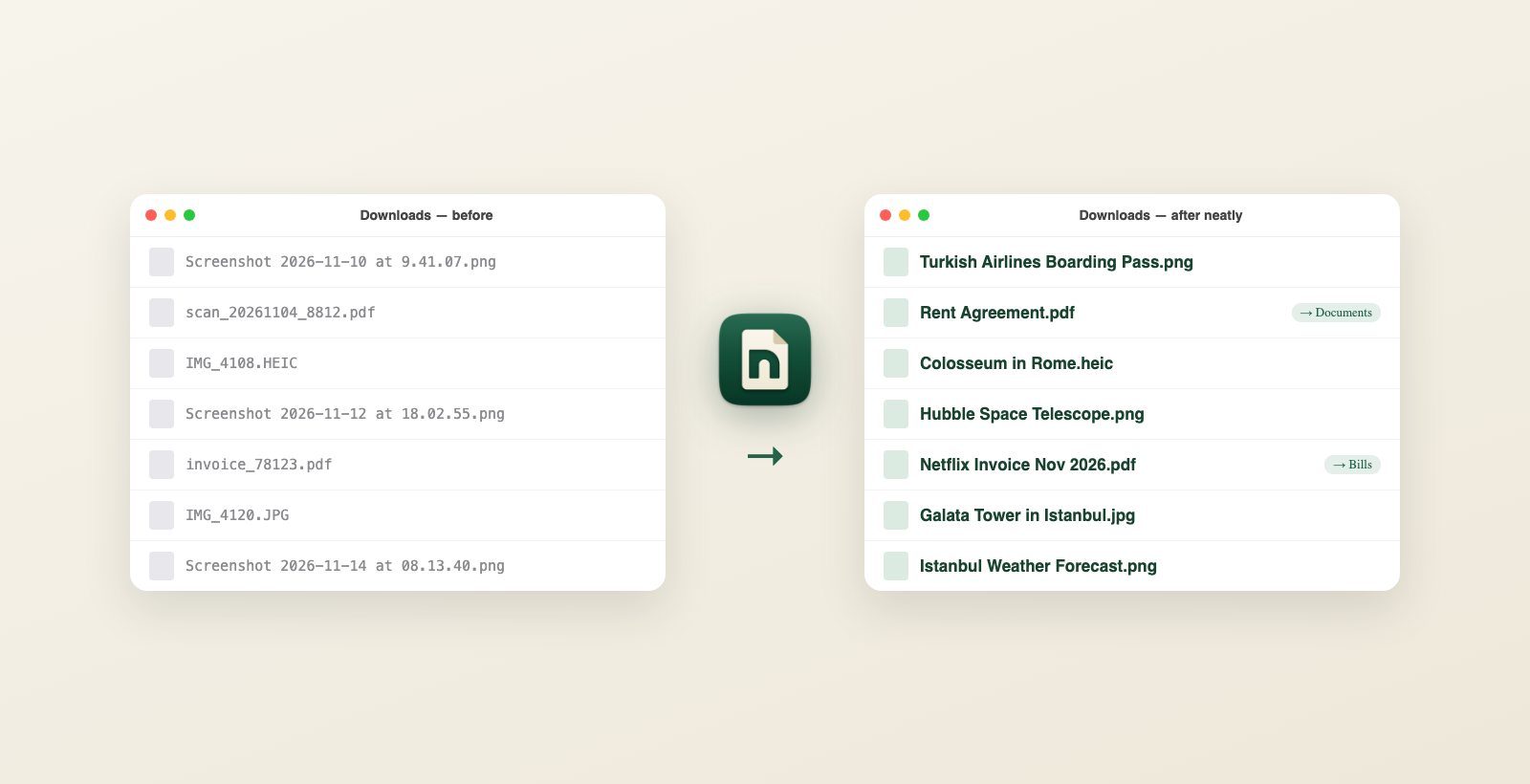
It only renames files with meaningless names. Names you chose yourself are never touched, and every change can be undone.
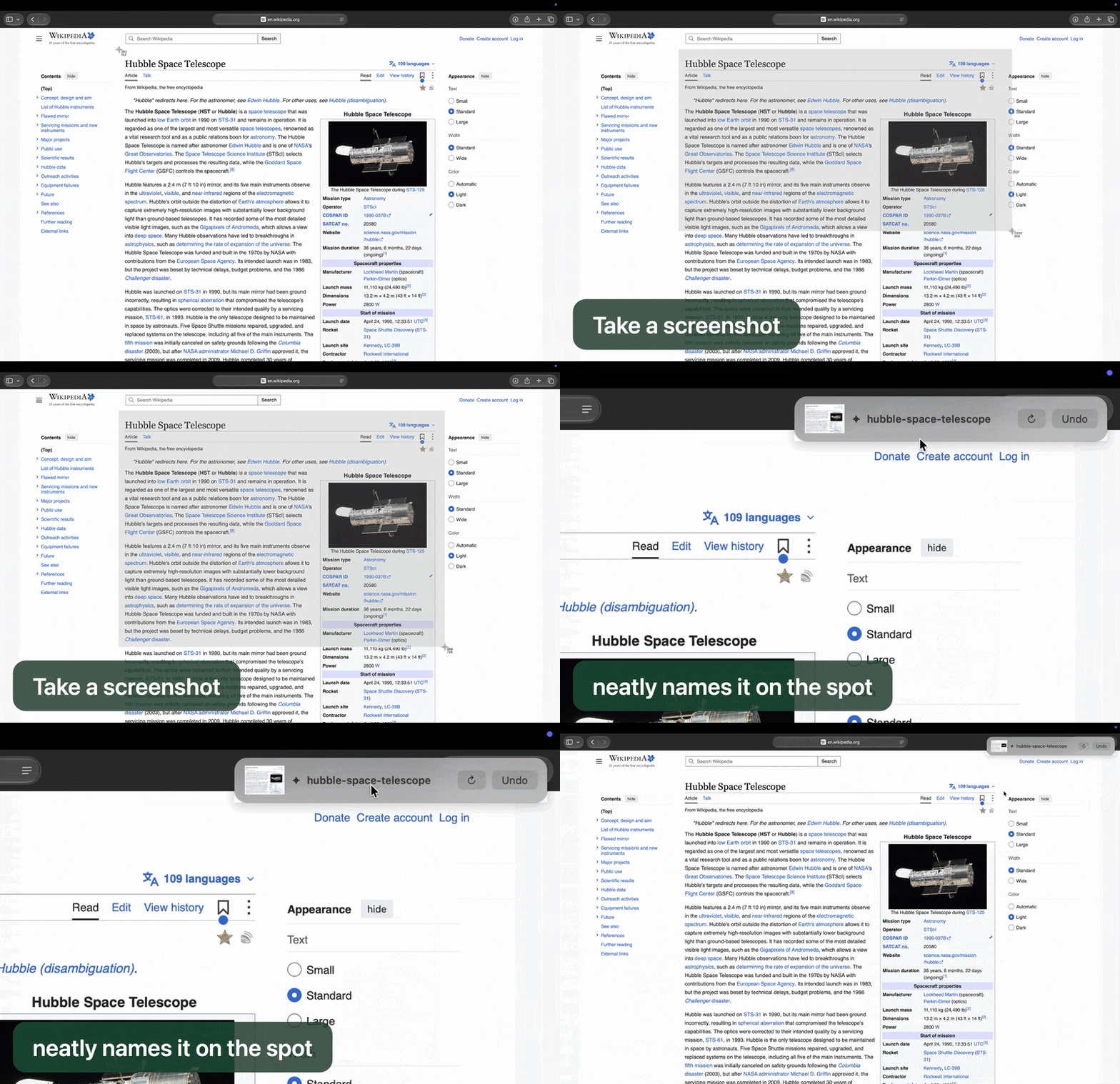
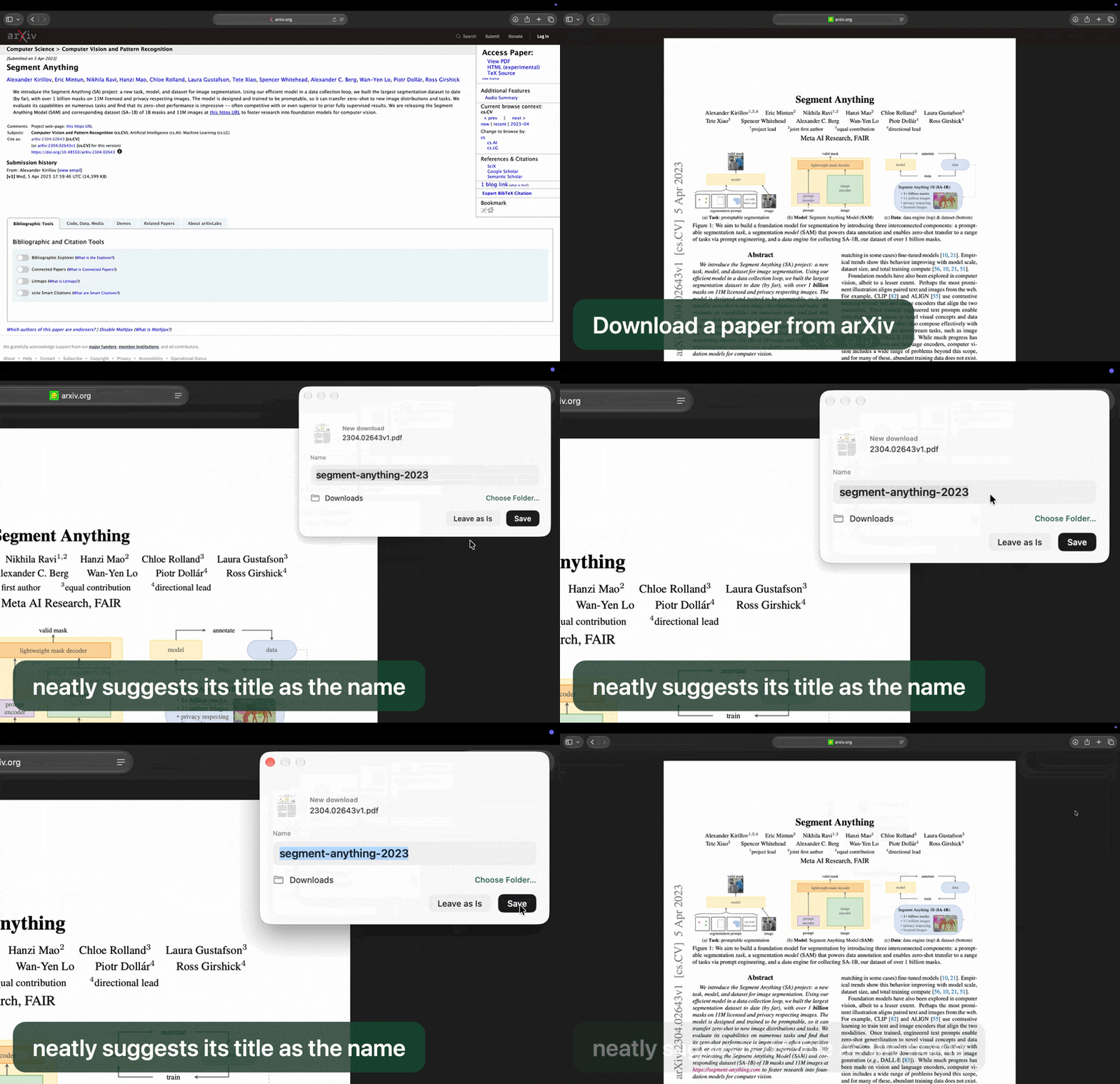
doc_8f3a2c.pdf → Water Bill Nov 2026.pdfScreenshot 2026-11-16… → Hubble Space Telescope.pngIMG_4108.HEIC → Colosseum in Rome.heicHistory lets you put any name back.Before and after
On a real Mac
🔒 Private by design
neatly reads your files on your Mac, with Apple's built-in AI (Apple Intelligence). Your files are never uploaded. No account, no tracking.
- Only three tiny things can go online, never your files: a check for updates, a research paper's number (to find its title), and a photo's location (to name the place).
- You can turn each of them off in neatly's settings.
- It's open source: anyone can read exactly what it does.
Will it work on my Mac?
- Click the Apple menu (top left) → About This Mac.
- Chip should say Apple M1 or newer (M2, M3, M4…). macOS should be 26 or newer.
- For the best names, turn on Apple Intelligence: System Settings → Apple Intelligence & Siri.
To remove neatly later: open it → More options → Uninstall neatly.
Developer? neatly is open source (MIT, Swift). Install with Homebrew:
brew install alpozaydin/tap/neatly && neatly service install,
or see the code on GitHub. Ideas, issues and pull requests are welcome.